

Built for property photographers
Bracketed shots in.
Polished 4K imagery out.
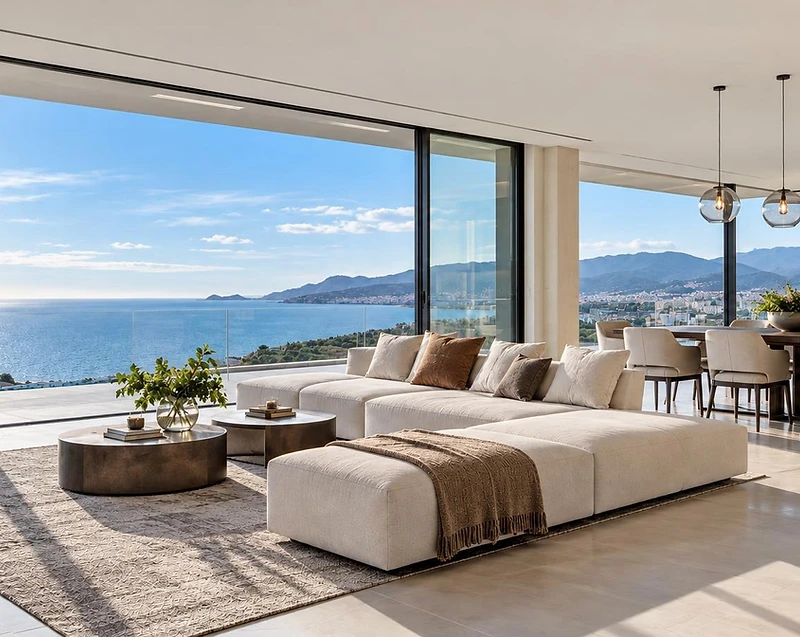
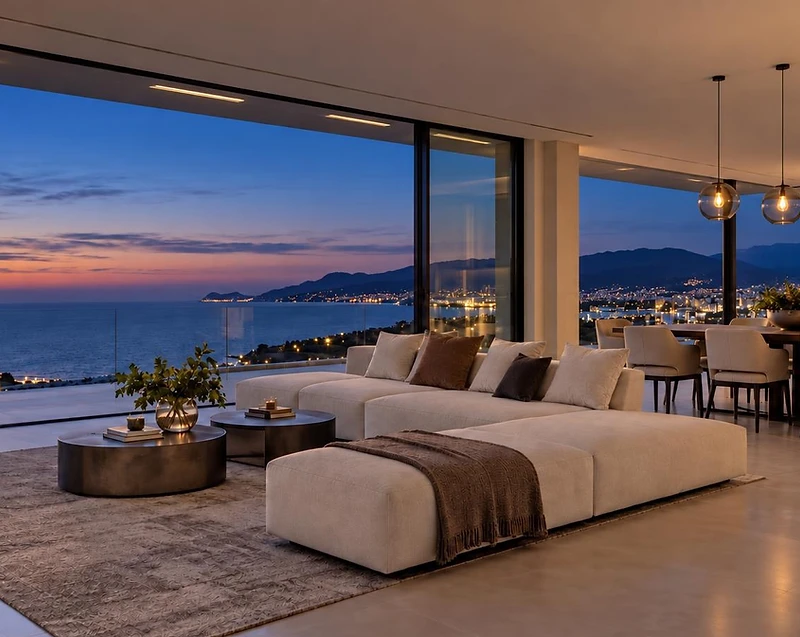
Relight automatically groups bracketed photos and batch-processes them into clean edits, relighting styles and twilight conversions — with refinements and cinematic motion when you need it. No manual blending. No traditional HDR workflow.
Free plan covers one Relight shoot · No card required

Relight
Batch-edit bracketed exposures into balanced, naturally lit property images — quickly, consistently and at scale.

Refine
Brush over a specific area and describe the change — remove distractions, tidy details or add a finishing touch, without re-editing the whole image.

Refurnish
Virtually furnish, restyle or declutter spaces with photorealistic staging that respects the room’s scale, structure and proportions.

Revive
Turn finished property images into subtle cinematic clips with smooth camera movement and natural light transitions.
Everything a property shoot needs
Built around the way property photographers actually work — full shoots, bracketed captures, tight deadlines.
Automatic bracket grouping
Upload your whole shoot. Relight automatically detects and groups bracketed sets, with drag-and-drop control if anything needs correcting.
Batch AI editing
Run clean edits, relighting styles, and time-of-day conversions across an entire job. Apply different settings to different images or sets within the same shoot.
True-to-scene 4K renders
Relight preserves the structure and detail of the original image while enhancing light, colour and presentation at full resolution.
Refine with a brush
Brush in a targeted area, describe the change, and create a cleaner result. Every version is saved so you can compare and roll back anytime.
Refurnish & declutter a space
Virtually furnish, restyle, or declutter a room while keeping the property itself intact. Create clean, believable staged alternatives from the original photo without the cost and effort of physical staging.
Revive with cinematic motion
Bring any finished property image to life with subtle camera movement or animated lighting, then download the clip alongside the rest of the job.
From property shoot to finished gallery in four steps
Step 01
Upload the whole shoot
Drop in every image from the property. Relight automatically detects and groups bracketed exposures as they upload.
Step 02
Choose the finish
Apply a clean edit, sunlight, golden hour, dusk or your own creative direction — with different settings available for individual images or sets within the same job.
Step 03
Batch process
Process the entire property in one queue while Relight works in the background. Finished results are automatically saved back to the job.
Step 04
Refine, Refurnish, Revive & deliver
Refine details with a brush, refurnish or declutter spaces, create cinematic clips with Revive, then download individual results or export the complete job as a ZIP.

Ready to rethink your property workflow?
Create a free account and run your first property job in minutes. The Free plan covers one Relight shoot of up to 40 images, with no card required.